
Greenlane - Fuel Smarter
Greenlane.aiMaps & Navigation
4.4218.00 Reviews
- Version
- 1.0.112
- Installs
- 10.00K
- Age Rating
- Everyone
Screenshots
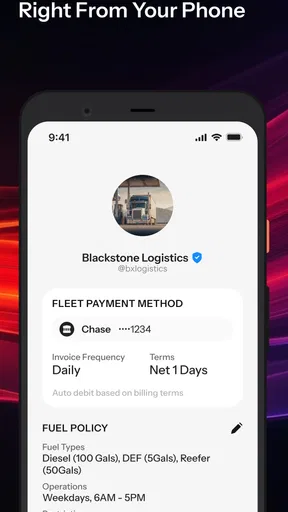
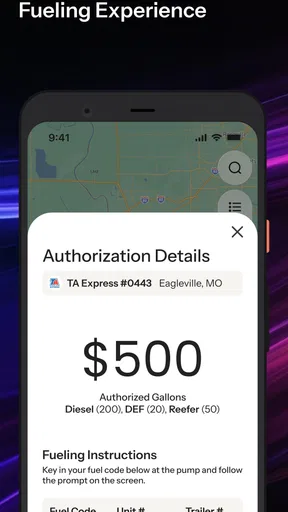
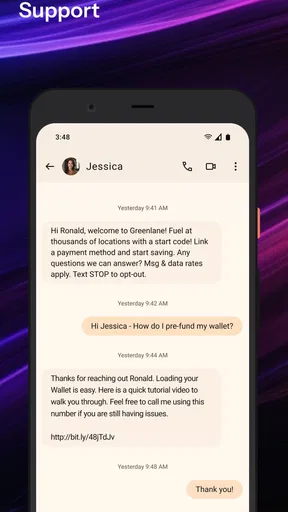
Our Review of Greenlane - Fuel Smarter
 Analysis by Appyee
Long-haul driving often turns fuel into a planning problem rather than a simple stop along the road. Greenlane - Fuel Smarter is a free Maps & Navigation app from Greenlane.ai that focuses on helping drivers find diesel savings at truck stops. I approached it as a first-time user would: install it, understand what it is meant to do, and see whether it can become useful during an ordinary trip instead of just looking attractive in a store listing.
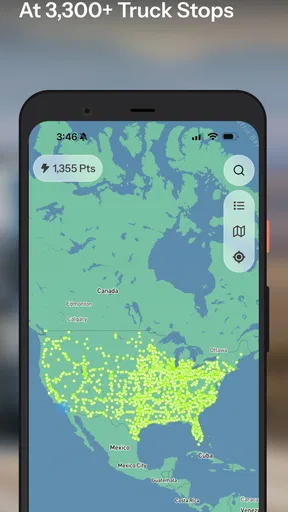
The basic idea is easy to understand. Rather than treating every fuel stop as interchangeable, Greenlane is built around diesel discounts at a large network of truck stops. Its store summary points to more than three thousand locations, which gives the app a distinctly practical audience: truck drivers, fleet workers, and anyone who regularly drives a diesel vehicle over long distances. It is not trying to replace every navigation tool on your phone. Its value is narrower and more focused, and that focus is exactly what makes it worth considering.
What to expect before your first fuel stop
Greenlane is best viewed as a fuel-saving companion, not as a complete replacement for the navigation app you already know. When I think about the way most people plan a long route, the usual process is to choose a destination, follow turn-by-turn directions, and stop wherever fuel becomes necessary. This app changes the order of the decision: first consider where a worthwhile diesel stop may be, then decide whether that stop fits the route, timing, and vehicle.
That distinction matters. A lower fuel price is not automatically a real saving if reaching the station adds an inconvenient detour, creates a delay, or leaves you with fewer suitable services for a commercial vehicle. I would therefore use Greenlane as a decision-making layer. I would check it before committing to the next stop, compare the suggested opportunity with my route, and keep my regular navigation app open for the actual road guidance.
The audience is fairly clear. A professional driver who buys diesel frequently has more reason to use a dedicated discount tool than somebody who fills a personal vehicle once every few weeks. Likewise, a driver who already knows every preferred stop on a familiar route may gain less from it than someone crossing unfamiliar areas. The app becomes more valuable when fuel costs are frequent, route choices are flexible, and a small saving can be repeated over many stops.
Greenlane.ai has kept the product approachable enough for general users, and the age classification is Everyone. That does not mean every driver will find it equally useful. Someone looking for traffic alerts, walking directions, public transit, or detailed offline maps should choose a broader navigation product. This app has a more specific job: help make diesel-stop decisions smarter.
Its public reception is encouraging without being a reason to install it blindly. Greenlane holds a 4.4 average from roughly six hundred ratings, with a little over two hundred written reviews and over ten thousand installs. I read those figures as signs of an early but meaningful user base rather than proof that the app will fit every route or driving style. A focused utility needs to be judged by whether it solves your particular fuel problem.
How I would prepare for a trip
Before leaving, I would decide how much flexibility I actually have. If I am driving a rigid schedule, I would not assume that the cheapest-looking stop is the right one. I would use the app to identify options, then check distance, road direction, vehicle suitability, and whether the stop fits a planned break. This simple habit prevents one of the most common mistakes with fuel-saving tools: chasing a discount that costs more in time or distance than it saves at the pump.
I would also avoid waiting until the fuel gauge is nearly empty. A discount finder is most useful while there are still several reasonable choices ahead. With more room to decide, I can compare stops instead of accepting the first available location. That is a small workflow change, but it is one of the more important practical benefits of using a specialized fuel app.
Setting it up without overcomplicating the first session
Greenlane is free, and the current version is 1.0.112. It supports devices running Android 9 or later, so the first compatibility check is straightforward: if your phone uses an older Android release, this particular version is not the right fit. For a supported device, the sensible approach is to install it before a trip rather than during a rushed roadside stop.
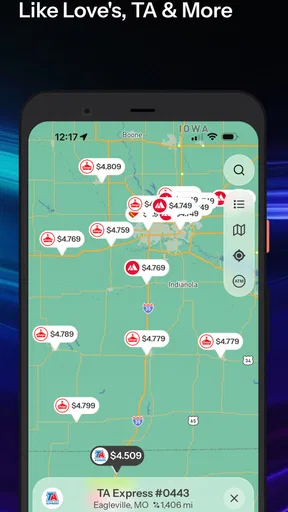
On the first launch, I would take a moment to understand the main screen before trying to make a purchase decision. Look for the way locations are presented, identify how the app distinguishes useful diesel opportunities, and learn how to move from a location result to the next action. The goal is not to explore every screen. It is to become comfortable enough that the app can be used quickly when attention should remain on driving.
I would keep the first test simple. Start from a familiar area or a place where you already know a few truck stops. That gives you a useful reality check: you can see whether the locations shown make sense for your normal route and whether the information is presented in a way you can interpret quickly. Testing it in a known area is safer and more informative than making the first attempt during an unfamiliar overnight drive.
One important expectation is that Greenlane should not be treated as an automatic promise that every displayed opportunity will be the best possible choice. Fuel conditions can change, routes can change, and a location can be useful for one vehicle but inconvenient for another. I would regard the app as a current planning aid, then confirm the final practical details when I arrive. That mindset keeps the tool helpful without asking it to make every decision for me.
A realistic first-day routine
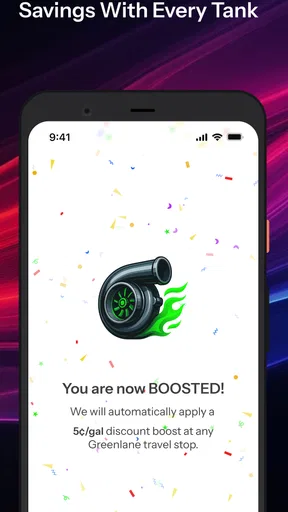
Imagine leaving early for a long delivery run with enough fuel for several hours. Instead of stopping at the first familiar station, I would open Greenlane during a planned break, review the diesel options ahead, and select one that sits naturally along the route. I would then switch back to my usual navigation method for the drive. At the stop, I would use the discount information as part of the fueling decision, not as a reason to ignore the route or the timing of the rest of the trip.
This routine has three useful safeguards. I am checking before the tank becomes urgent, I am comparing the stop with my actual route, and I am separating fuel discovery from turn-by-turn driving. Those steps reduce the chance of making a rushed detour. They also make it easier to judge whether Greenlane is saving me effort as well as money.
For a fleet driver, the same workflow can be repeated before each major leg. The app may be most useful when it becomes part of the pre-trip checklist rather than something opened only after a warning light appears. For an occasional diesel driver, the benefit may be more modest, but the same principle applies: use it early enough to preserve choice.
Making the first successful decision
The first meaningful success with Greenlane is not simply finding a location on a map. It is choosing a diesel stop that makes sense for the whole trip. I would define success as reaching a suitable stop without an unnecessary detour and using the app’s discount focus to improve the fueling decision. That is a more realistic test than expecting the app to redesign an entire journey.
To get there, I would compare at least two possible stops when the route allows it. The nearest option may be the easiest, while another location farther ahead may fit a planned break better. A third choice might offer a more convenient road position even if its discount looks less impressive. Greenlane’s job is to bring fuel opportunities into the conversation; my job is to weigh them against time, distance, and driving conditions.
A useful habit is to separate the financial question from the operational question. Financially, I want a diesel price or discount that improves the stop. Operationally, I want an accessible location that does not disrupt the journey. If I combine those questions too quickly, I may focus on the most attractive number and overlook the cost of reaching it. This is where a little driver judgment makes the app substantially more useful.
I would also treat the first successful stop as a learning session. Notice how quickly you can find an appropriate location, whether the labels are clear while you are in a hurry, and whether the app fits naturally beside your preferred navigation tool. If the process feels slow or confusing, that is valuable information. A fuel app has to work under real travel pressure, not only when explored comfortably at home.
Three less obvious ways to use it well
- Use it before the low-fuel moment: checking while several stops remain gives you the freedom to reject a poor detour and compare alternatives.
- Plan around breaks, not only prices: a discount location becomes more useful when it matches a rest, meal, or delivery schedule already built into the day.
- Use a familiar route as a calibration tool: comparing Greenlane’s suggestions with stops you already understand helps you learn its presentation before relying on it in unfamiliar territory.
These workflows reveal an important trade-off. The app can improve the quality of a fuel decision, but it does not remove the need for route judgment. Drivers who want a single application to handle navigation, traffic, fuel, parking, and trip timing may find this separation inconvenient. I see it differently: keeping Greenlane focused can make it easier to use for its specific purpose, provided you are comfortable switching between tools.
Where first-time users may become confused
The most likely confusion is assuming that a fuel discount automatically equals the lowest total trip cost. It does not. A stop can be financially attractive and still be a poor choice if it sends you away from the road, interrupts a delivery window, or does not suit your vehicle. I would always ask, “Would I reasonably stop here anyway?” before treating the discount as a win.
Another possible misunderstanding is expecting the app to behave like a full navigation replacement. Greenlane belongs to Maps & Navigation, but its identity is centered on diesel savings and truck-stop discovery. If you need detailed route instructions, traffic-aware rerouting, or a broad map of every kind of destination, your established navigation app may remain the better primary tool. Greenlane can sit beside it rather than compete with it in every category.
Drivers may also wonder whether it is suitable for a normal passenger car. The app’s emphasis on diesel and truck stops makes it more naturally suited to diesel drivers and commercial travel. A personal diesel vehicle owner could still find it useful, especially on long journeys, but a petrol driver or someone who rarely travels beyond familiar neighborhoods is unlikely to get the same value.
There is also a practical attention issue. No navigation or fuel app should be explored while the vehicle is moving. I would set up the next stop before departure or use a safe, legal stopping place. Greenlane is most helpful when it reduces rushed decisions, not when it encourages another screen interaction during a demanding section of road.
Finally, I would not assume that every trip needs the app. If I already have a reliable fuel arrangement, a strict route with no flexibility, or a company process that determines where I must stop, Greenlane may add little. The right question is not whether it can be installed for free; it is whether it can influence a decision I actually control.
How it compares with ordinary navigation and fuel habits
Traditional navigation apps are excellent at getting drivers from one place to another, but they are usually designed around route efficiency rather than a specialized diesel-discount workflow. A general map may show fuel stations, yet simply seeing stations is different from evaluating them as part of a truck-stop fuel strategy. Greenlane’s narrower purpose is its main distinction.
On the other hand, a general navigation app can still be better for the final driving stage. It may be more familiar, more deeply integrated into your daily routine, or better suited to traffic and turn-by-turn guidance. I would not replace a trusted navigation tool just because Greenlane helps with fuel. The strongest setup is often complementary: use Greenlane to choose the stop and your usual navigator to reach it.
It also compares favorably with an informal habit of stopping wherever a driver recognizes a familiar sign. Familiarity feels safe, but it can hide missed opportunities. Greenlane encourages a deliberate check before committing. The trade-off is that deliberate planning takes a little more attention than simply pulling into the usual station. For frequent diesel users, that extra step is easier to justify than it is for occasional drivers.
Compared with broad fuel-price tools, Greenlane’s truck-stop emphasis may be more relevant to heavy-vehicle travel. A list built for ordinary motorists does not necessarily reflect the needs of a long-haul driver. Conversely, someone who wants broad coverage across every fuel type and every local station may prefer a more general fuel app. The best choice depends on whether truck-stop diesel savings are your central need.
Who should install it, and who should skip it
I would recommend Greenlane to drivers who regularly buy diesel, travel beyond their local area, and have enough route flexibility to choose between stops. It is especially sensible for people who already plan fuel breaks and want a more informed way to select them. Because it is free, the barrier to testing that workflow is low.
I would be more cautious about recommending it to someone who drives short urban trips, rarely uses diesel, or never chooses where to refuel. In those cases, the app’s specialized focus may not justify another tool on the phone. It is also not the best match for anyone expecting a complete all-purpose navigation experience from one application.
For a first-time user, the best test is practical rather than theoretical: install it before a non-urgent trip, inspect a familiar route, and see whether it helps you choose a stop you would genuinely consider using. If the answer is yes, repeat the process on a longer journey. If it merely adds another screen without changing your decision, your regular navigation and fuel habits may already be sufficient.
My recommendation after using the full workflow
Greenlane - Fuel Smarter makes sense because it concentrates on a real problem: diesel drivers often need to decide not only where to stop, but whether the stop is financially and operationally sensible. Greenlane.ai has built a focused tool around that moment. Its free price, Everyone age rating, and support for Android 9 or later make it easy for suitable users to try, while its 1.0.112 release shows that the app is still something I would approach as a focused utility rather than a universal travel platform.
My recommendation is to use it as a planning companion. Open it before the fuel situation becomes urgent, compare the available truck-stop choices with your actual route, and let your normal navigation app handle the road guidance if that is what you already trust. The strongest benefit comes from combining the app’s specialized diesel focus with your own judgment about time, distance, and vehicle needs.
The key takeaway is simple: Greenlane can help you make a better fuel-stop decision, but it works best when you treat the discount as one part of the decision rather than the entire decision. For frequent diesel travelers, that focused assistance may be enough to earn a permanent place in the pre-trip routine. For occasional or inflexible drivers, it may remain optional. I would install it, test it on a familiar route, and keep it only if the first successful stop proves that it improves the way I already travel.
Verdict
Strengths of Greenlane - Fuel Smarter
- Helps compare nearby fuel prices before you stop to refuel.
- Clean interface makes essential price information easy to scan.
- Can support better budgeting for regular drivers and commuters.
- Useful for spotting cheaper stations along familiar routes.
- May reduce unnecessary detours when planning a fuel stop.
Limitations of Greenlane - Fuel Smarter
- Price listings may be outdated if stations change rates frequently.
- Coverage can vary considerably by location and participating stations.
- Savings may disappear if a cheaper station requires a long detour.
- Requires location access for the most convenient nearby searches.
- Extra features and availability may differ between Android and iOS.
Similar Picks in This Category
View All
Uber - Request a ride
Uber Technologies, Inc.4.7


inDrive. Rides with fair fares
® SUOL INNOVATIONS LTD4.8

Yandex Go: Taxi Food Delivery
Mikromobilnost LLC Belgrade4.8

Bolt: Request a Ride
Bolt Technology4.8

Rapido: Bike-Taxi, Auto & Cabs
Rapido Bike Taxi4.8
Frequently Asked Questions
What is Greenlane - Fuel Smarter, and what does it do?
Greenlane - Fuel Smarter is designed to help drivers make more informed decisions about refueling and fuel costs. The app typically presents fuel-related information in a convenient mobile interface, allowing users to compare nearby options, monitor prices, and plan stops more efficiently. Its usefulness depends on the availability and accuracy of local data, so it is best treated as a helpful planning tool rather than a guaranteed real-time source.
Does Greenlane - Fuel Smarter show fuel stations and prices near my location?
The app is intended to help users find relevant fuel information based on their location, including nearby stations and available pricing details where supported. You may need to grant location permission for the most convenient experience, although some features can often be accessed by searching manually. Coverage and update frequency can vary by country, region, and station, meaning displayed prices should be confirmed before making a detour.
Is Greenlane - Fuel Smarter free to download and use?
Greenlane - Fuel Smarter may be available as a free download, but users should review the current store listing for any premium features, subscriptions, advertising, or optional in-app purchases. Availability and pricing can change over time and may differ between Android and iOS. Before confirming a subscription, check the billing period, renewal terms, and cancellation instructions shown through your app store account.
Does Greenlane - Fuel Smarter require an internet connection?
Most fuel-search and price-comparison functions generally require an active internet connection because the app needs to retrieve station information, maps, and updated fuel data. Location services may also be necessary for automatic nearby searches. If you lose connectivity while driving, previously loaded information may not remain fully available, so it is sensible to review your route and preferred fuel stops before entering areas with weak coverage.
Can I rely completely on the fuel prices and information shown in the app?
You should not rely on the app as the sole authority for fuel prices, station availability, opening hours, or services. Such information can change quickly and may depend on reports, partner data, or the last recorded update. In my experience with fuel-information apps, the best approach is to use Greenlane for comparison and route planning, then verify the price and station status when you arrive.
